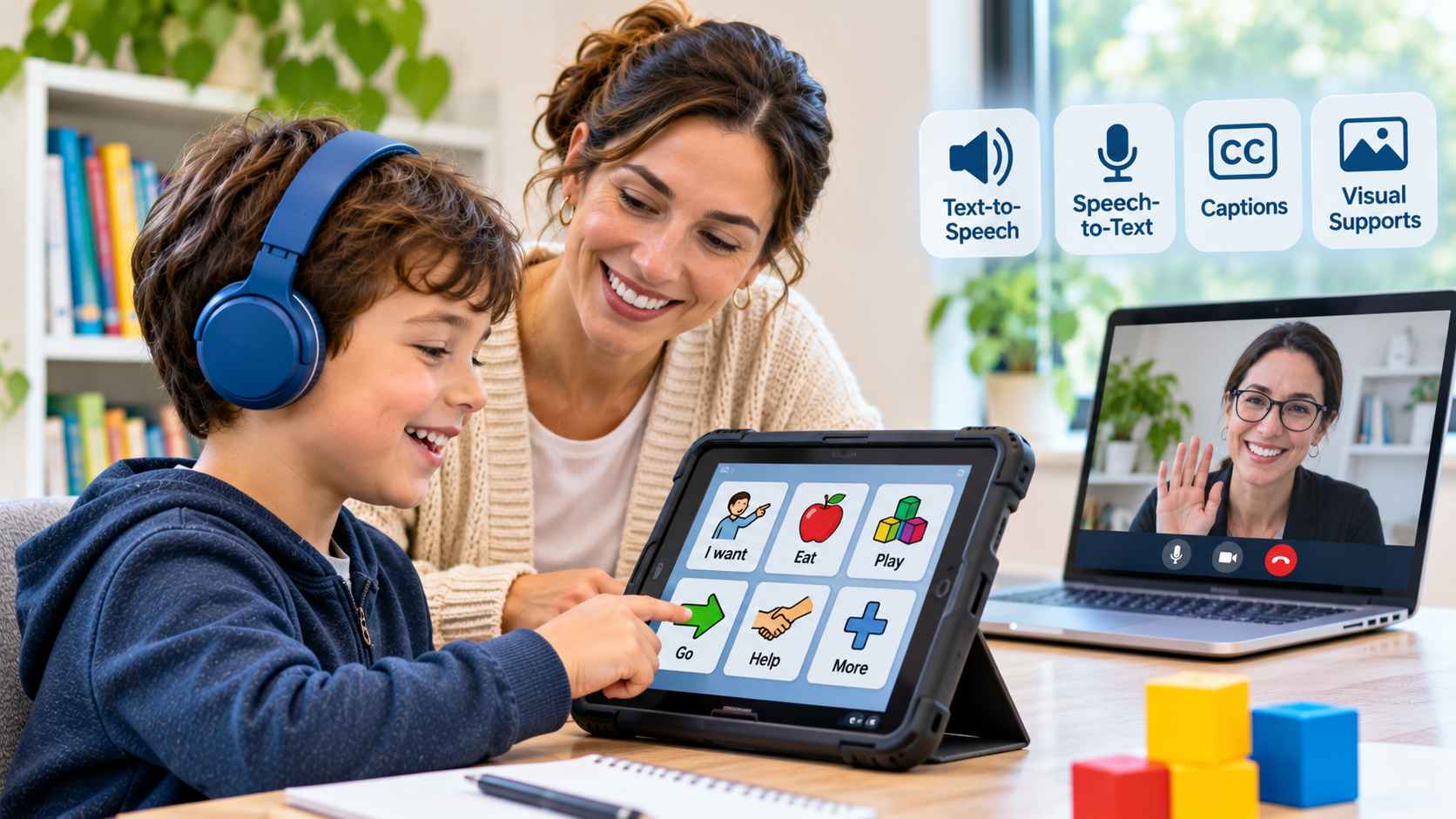
Imagine attending an online class where every spoken instruction appears as text, reading an article while listening to it aloud, or using a communication application to express an idea without relying entirely on speech.
These everyday possibilities demonstrate how technology can make information and communication more accessible.
Digital tools have changed the ways people learn, share ideas, and interact with others. From speech-to-text applications to visual learning materials, technology can offer different methods of communication for people with varying abilities and preferences.
However, accessibility is not simply about introducing new devices or software. It involves understanding individual needs and choosing tools that support meaningful participation.
For families, educators, healthcare professionals, and technology enthusiasts, exploring accessible technology can provide valuable insights into creating more inclusive communication and learning environments.
How Digital Technology Has Changed Everyday Communication
Communication is no longer limited to face-to-face conversations, telephone calls, or written letters.
Video conferencing, messaging applications, digital classrooms, and collaborative platforms allow people to interact in different ways.
For some individuals, these options provide greater flexibility.
A person who finds spoken conversations difficult may prefer written messages. Someone who benefits from visual information might use video calls or shared documents to understand instructions.
Digital communication also allows information to be presented through combinations of text, audio, images, and interactive activities.
However, these technologies are not equally accessible to everyone.
Internet access, device availability, digital literacy, and individual communication needs can influence whether a particular tool is useful.
The objective should be to provide meaningful choices rather than assuming that one communication method works for everyone.
Understanding Text-to-Speech Technology
Text-to-speech technology converts written information into spoken audio.
It is available through various digital devices, accessibility settings, reading applications, and educational platforms.
For example, someone may use text-to-speech to listen to an online article, school assignment, or digital document.
This can be useful for individuals who prefer auditory information or experience difficulty accessing written text.
Text-to-speech tools may also support people who benefit from hearing information while following along visually.
However, the quality of synthesized speech can vary between applications.
Pronunciation, language support, and the interpretation of unfamiliar words may not always be accurate.
Users should consider whether the technology meets their particular needs rather than assuming that automated speech provides a complete solution.
How Speech-to-Text Tools Support Communication
Speech-to-text technology converts spoken language into written words.
Many smartphones, computers, and digital applications now include voice dictation or automatic transcription features.
These tools can support everyday activities such as writing messages, preparing documents, or recording meeting notes.
For example, an individual who finds typing difficult may prefer dictating a message.
A student might use speech-to-text when developing a written response or organizing ideas.
However, automatic transcription is not always accurate.
Background noise, overlapping speakers, pronunciation differences, and technical limitations may affect the results.
Users should review important information before sharing it.
Speech-to-text tools should also respect different accents and communication styles without treating natural variations in speech as problems requiring correction.
Why Captions and Visual Supports Improve Accessibility
Digital information is often presented through videos, online presentations, and interactive lessons.
When important information is available only through spoken audio, some individuals may encounter barriers.
Captions provide a written representation of dialogue and relevant audio information.
They can support people who are Deaf or hard of hearing, as well as individuals who prefer reading alongside spoken content.
Visual supports can provide additional context.
For example, an educator explaining a complicated process might use diagrams, pictures, and written instructions alongside verbal explanations.
Making Digital Content Easier to Follow
Clear headings, readable text, appropriate contrast, and organized layouts can help people navigate information.
Providing Different Ways to Access Information
Captions, transcripts, audio descriptions, and alternative formats allow individuals to choose suitable ways of engaging with content.
These features should be selected according to actual accessibility requirements rather than added solely for appearance.
Communication Applications and Individual Preferences
Not everyone communicates primarily through spoken language.
Some people use gestures, writing, symbols, pictures, or augmentative and alternative communication methods.
Digital communication applications can provide additional ways to express needs, share ideas, and participate in conversations.
For example, a person may use a device containing picture symbols or text that can be converted into spoken output.
Other individuals may prefer applications that support written conversations or visual schedules.
These tools should be selected based on the person’s abilities, preferences, and communication goals.
The ASHA communication and speech-language resources provide educational information about communication differences, speech-language services, and available support approaches.
Accessible communication should respect different ways of expressing meaning rather than expecting everyone to communicate identically.
How Technology Supports Remote Speech-Language Therapy
Digital communication platforms have also expanded the ways speech-language services can be delivered.
Through video appointments, individuals may participate in certain assessment and therapy activities remotely.
A speech-language pathologist might use screen sharing, visual exercises, interactive stories, or digital learning materials during an appointment.
For example, a child working on vocabulary may participate in picture-based activities, while an adult may use structured materials related to everyday communication.
Families exploring language therapy and communication support can consider how professional assessment and individualized goals may guide the use of suitable communication tools.
However, virtual therapy is not appropriate for every person or situation.
Some individuals may require in-person assessment, specialized equipment, or additional assistance.
Technology should support professional care rather than replace individualized clinical judgment.
Choosing Assistive Technology Based on Individual Needs
One of the most important principles of accessible technology is recognizing that people have different requirements.
An application that supports one person’s communication may be unsuitable for another.
Age, language preferences, sensory needs, motor abilities, communication goals, and familiarity with technology can influence usability.
Before selecting a tool, families and educators can consider several questions:
- What is the intended purpose? Identify the communication or learning activity the technology should support.
- Is the tool accessible? Consider visual, auditory, physical, and cognitive accessibility needs.
- Can it be customized? Adjustable settings may help accommodate individual preferences.
- Is it practical to use? Consider device availability, cost, internet access, and technical support.
- Does it protect personal information? Review privacy settings and how sensitive information is handled.
- Is professional guidance appropriate? Some communication needs benefit from assessment before selecting specialized tools.
The most effective choice is not necessarily the newest application or most expensive device.
It is the option that appropriately supports the individual’s everyday communication.
Balancing Screen-Based Learning With Real-World Interaction
Digital technology can provide useful opportunities for education and communication, but it should not automatically replace personal interaction.
Children, adults, and families also communicate through everyday conversations, shared activities, and social experiences.
For example, a child may practise identifying pictures during a digital activity and later encounter the same vocabulary while reading or playing with a caregiver.
An adult using a communication application may rely on it during everyday conversations with family members or colleagues.
Connecting technology-supported activities with meaningful experiences helps keep communication relevant to daily life.
The appropriate balance depends on the individual.
Some people rely on assistive technology as their primary communication method, so reducing device use simply to limit screen time may create unnecessary barriers.
Accessibility planning should prioritize communication needs rather than rigid rules about technology.
Why Professional Guidance Can Be Valuable
Families may find it difficult to determine which communication tools are appropriate, particularly when numerous applications offer similar features.
A qualified speech-language pathologist can assess relevant communication abilities and discuss suitable approaches.
Depending on the individual’s needs, professional support may involve identifying communication goals, recommending strategies, or considering appropriate assistive tools.
Ontario-based TalkInc Speech, Language, & Voice Therapy provides speech-language services for individuals with different communication needs.
Professional guidance can help families understand when technology may be useful and when other approaches deserve consideration.
However, no single application, device, or therapy approach guarantees a particular outcome.
Individual preferences, professional assessment, and practical circumstances should guide decisions.
Creating More Inclusive Digital Learning Environments
Accessible technology is also an important consideration for schools, workplaces, and community organizations.
Educators can provide information through different formats rather than relying exclusively on spoken instructions or written documents.
Employers may consider captioned meetings, accessible documents, and flexible communication methods.
Community organizations can also review whether digital registration systems, presentations, and online resources accommodate different users.
These adjustments encourage participation without requiring everyone to interact with information in exactly the same way.
Accessibility is an ongoing process that benefits from user feedback, appropriate planning, and a willingness to make improvements.
Conclusion: Technology Should Support Meaningful Communication
Digital technology offers valuable opportunities to make communication and learning more accessible.
Text-to-speech tools, automatic transcription, captions, visual materials, and communication applications can support people with different needs and preferences.
Remote speech-language services provide another option for individuals who may benefit from technology-supported professional care.
However, accessible technology should always be guided by individual circumstances rather than assumptions about what works for everyone.
By combining thoughtful technology choices with human interaction and appropriate professional guidance, families, educators, and organizations can create more inclusive communication environments.
Ultimately, the purpose of accessible technology is not to replace the way people naturally communicate. It is to provide more opportunities for individuals to express themselves, understand information, and participate in everyday life.